
A field guide to your website
Every page, sorted — ready for you to keep, delete, or add.
A plain-language walkthrough of what's on your current site, a cleaner structure to move it into, and the handful of decisions only you can make.
We took a complete copy of your current website and sorted every page so you can decide what stays. The site looks enormous — about 1,400 web addresses — but most of that is automatic: event listings the calendar makes by itself, duplicate links, and behind-the-scenes system pages. Strip those away and there are about 520 real pages to review. We've grouped them, recommended what to do with each, and organized them under a cleaner menu. Your job now is simply to review and tell us your preferences.
§ 01 What we found
Big on the surface, manageable underneath
Your site was built in WordPress and grew organically over many years. That growth left three kinds of clutter that make it look larger and messier than it really is.
A few themes we noticed
- Lots of duplicate pages. There are five "Research Library" pages, five "Membership" pages, and three "Ways to Donate" pages. We recommend combining each set into one clear page.
- Old one-time pages never removed. Expired promotions, a "Target Circle" voting campaign, dated press releases, test pages — easy cleanup.
- A hidden treasure: your videos. You have about 145 videos (MVC Insider, Local History Happy Hour, Story Time, artist talks). They're currently buried, and we think they deserve their own spotlight.
§ 02 The new structure
Seven main sections, and everything fits
Instead of today's sprawling menu, we recommend seven sections. Every existing page belongs to one of them — keeping what visitors recognize while making the site far easier to navigate.
Plus a small footer area for the online shop, newsletter signup, and legal pages.
§ 03 Using the spreadsheet
How to review pages-under-each-section
The spreadsheet lists all ~520 real pages, grouped under the seven sections above. Open it in Excel or Google Sheets — each row is one page.
Go down the list and, in the Your Decision column, pick Keep or Delete from the dropdown. If you agree with our recommendation, just leave it blank — we follow what's in "Our Recommendation." Want a page in a different section? Use the Move to Section dropdown. Want a brand-new page? Add it on the Add New Pages tab.
What our recommendations mean
| Our recommendation | Plain meaning |
|---|---|
| Keep | Bring this page over to the new site as-is. |
| Keep in collection | Bring it over inside a self-updating group — a blog post, video, or past exhibit. |
| Merge | Overlaps with another page; we combine them into one and forward the old link. |
| Review | Looks old or expired — we suggest retiring it, but you decide. |
| Delete | Not real content (system/duplicate). We remove it; nothing for you to do. |
Roughly: 115 standalone pages to keep, ~350 items in self-updating collections, 40 to merge, and about 13 to review.
§ 04 Over to you
Decisions we need from you
A short list of choices only you can make. Everything else, we can proceed on.
Give videos their own home?
You have ~145 videos. We recommend a dedicated "Watch & Listen" area rather than hiding them under Press. Yes or no?
A handful of unclear pages
Some old pages have thin titles — Revisit, Challenge, Our Stories, a couple of legacy education pages. A quick keep or delete settles them.
Two similar names
One is a donation campaign ("Invest in what connects us"), the other a contact page ("Connect with MVC"). Confirm they stay separate.
Taste of History vs. History & Horizons
Currently two separate events. Keep both distinct, or combine them into one?
Financials page
Your footer links to a "Financials" page we couldn't find in the download. If you post financials somewhere, point us to it.
Photos & documents
Separately, the site holds a large library of images and PDFs. Migrating those is its own step, once page decisions are settled.
§ 05 Next
What happens after your review
- You review the spreadsheet and answer the questions above.
- We finalize the page list and lock the seven-section menu.
- We set up automatic forwarding so existing links (and Google results) still work after the move.
- We migrate your photos and documents.
- Build begins on the new site — a clean, organized foundation.
§ 06 The proposed design
See the new site take shape
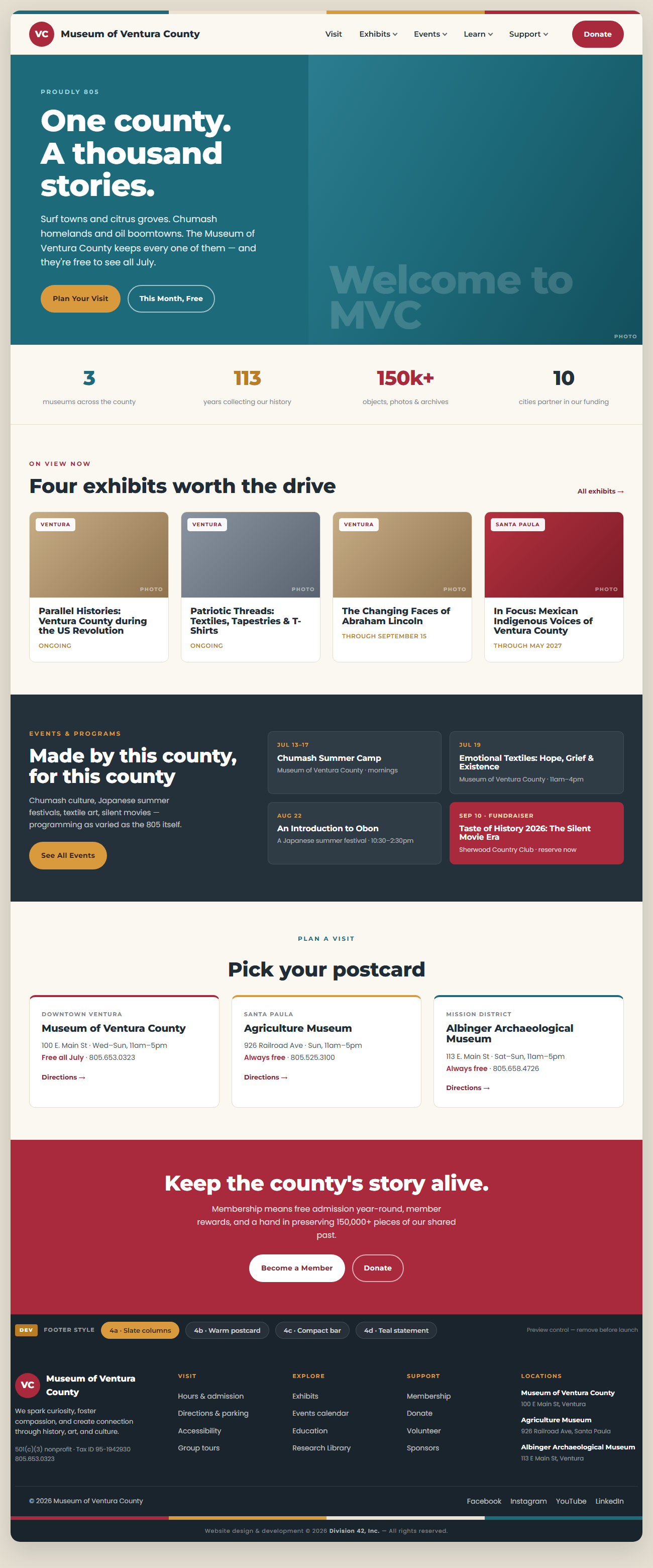
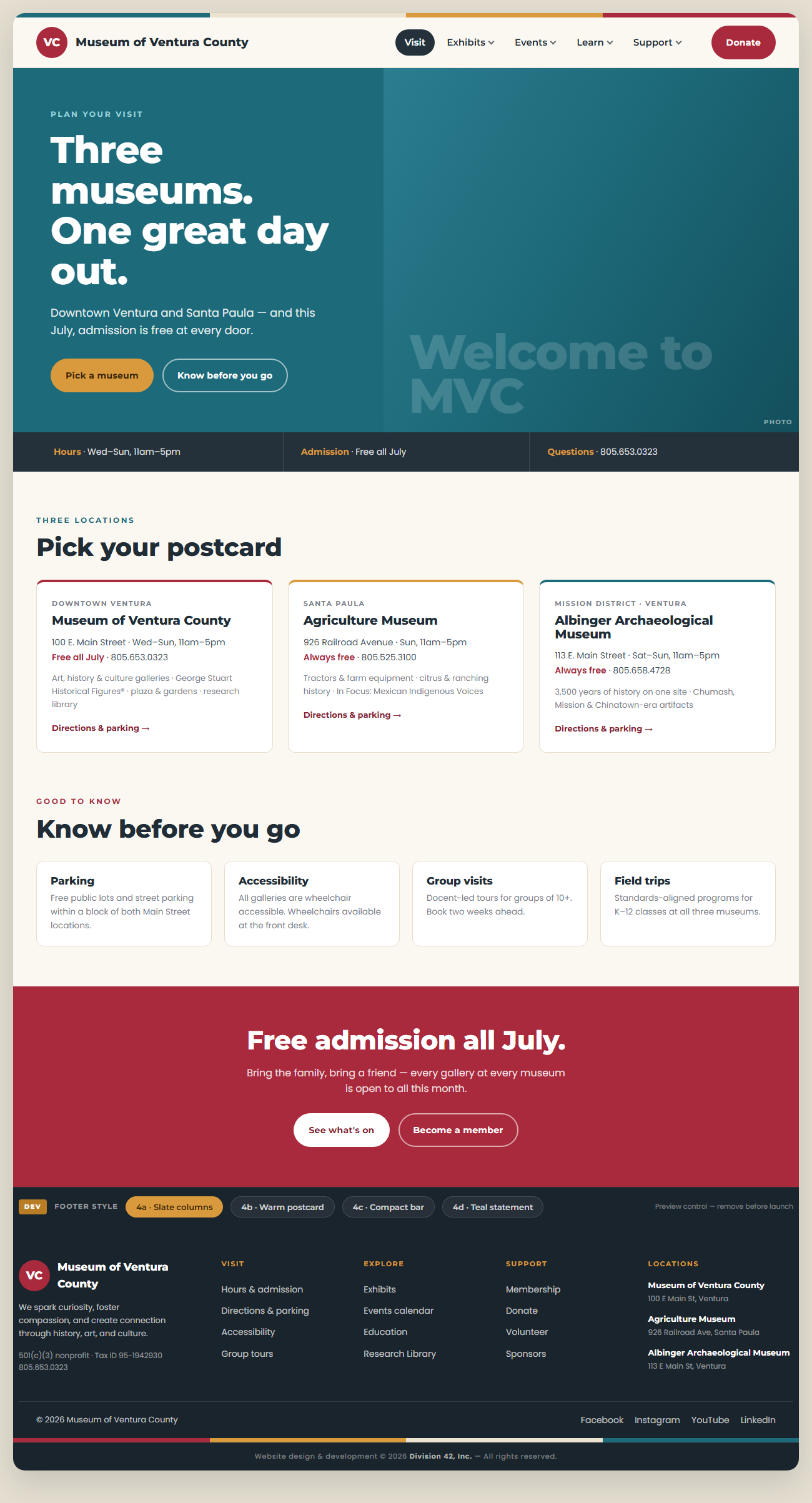
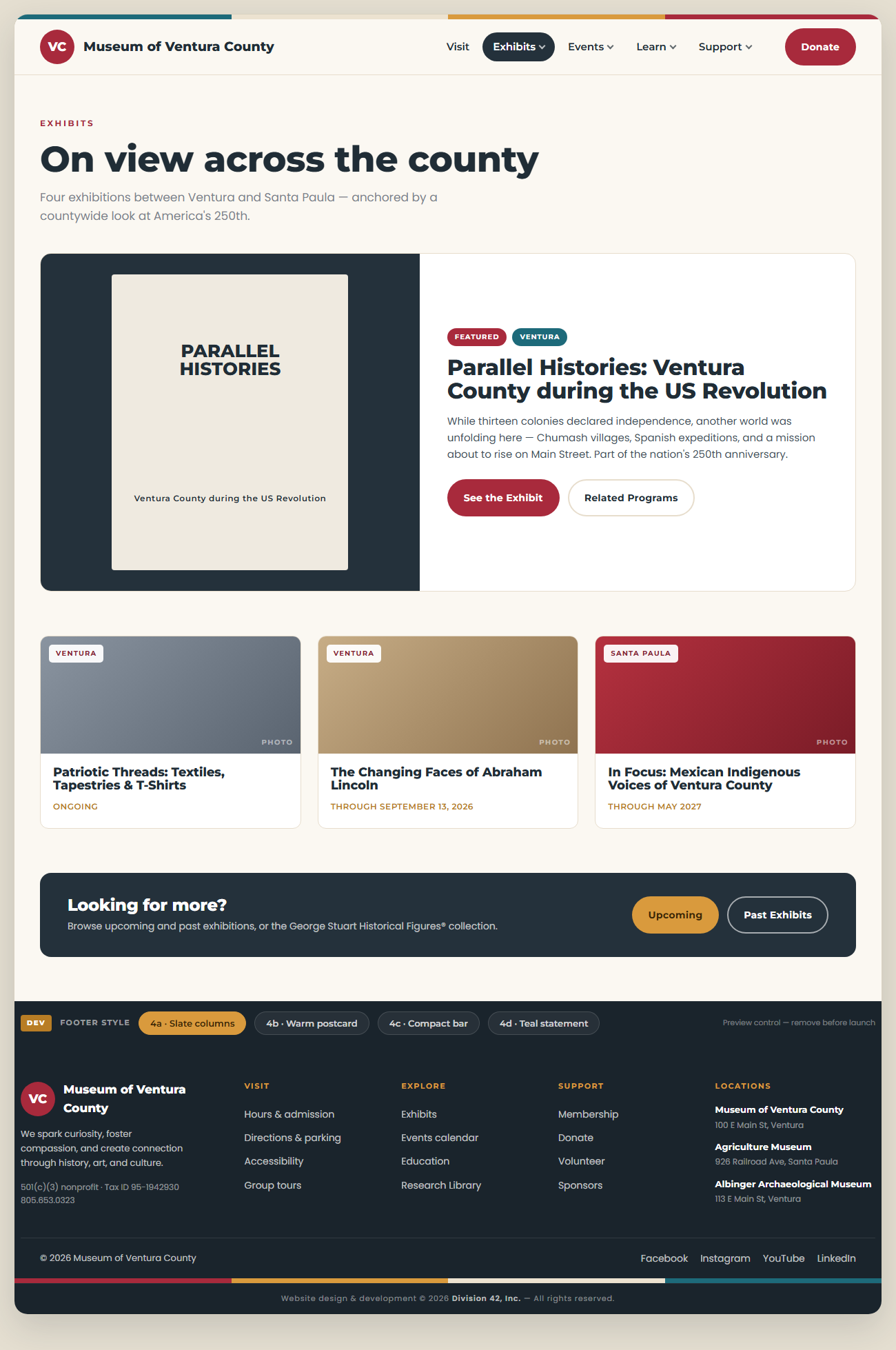
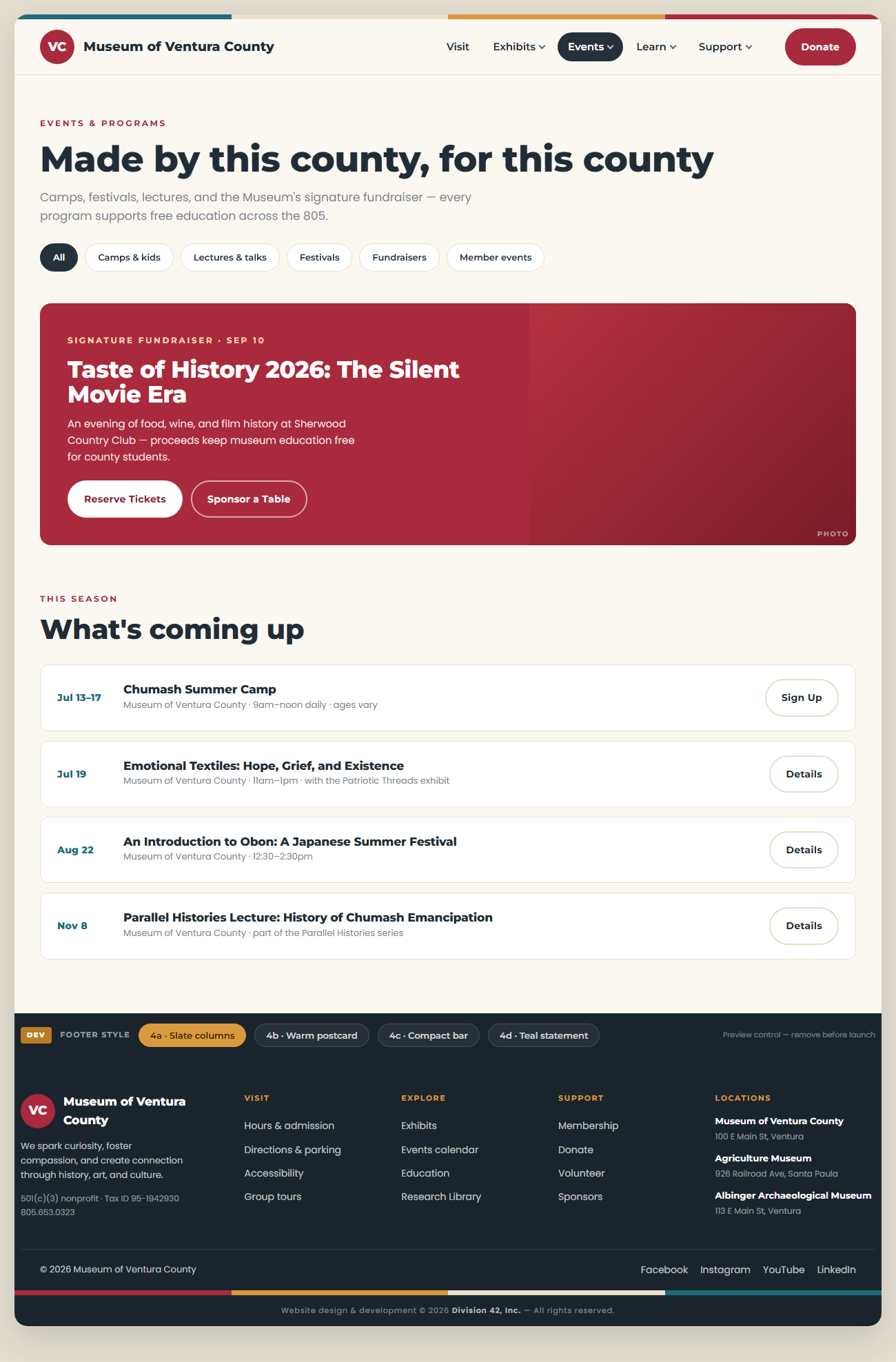
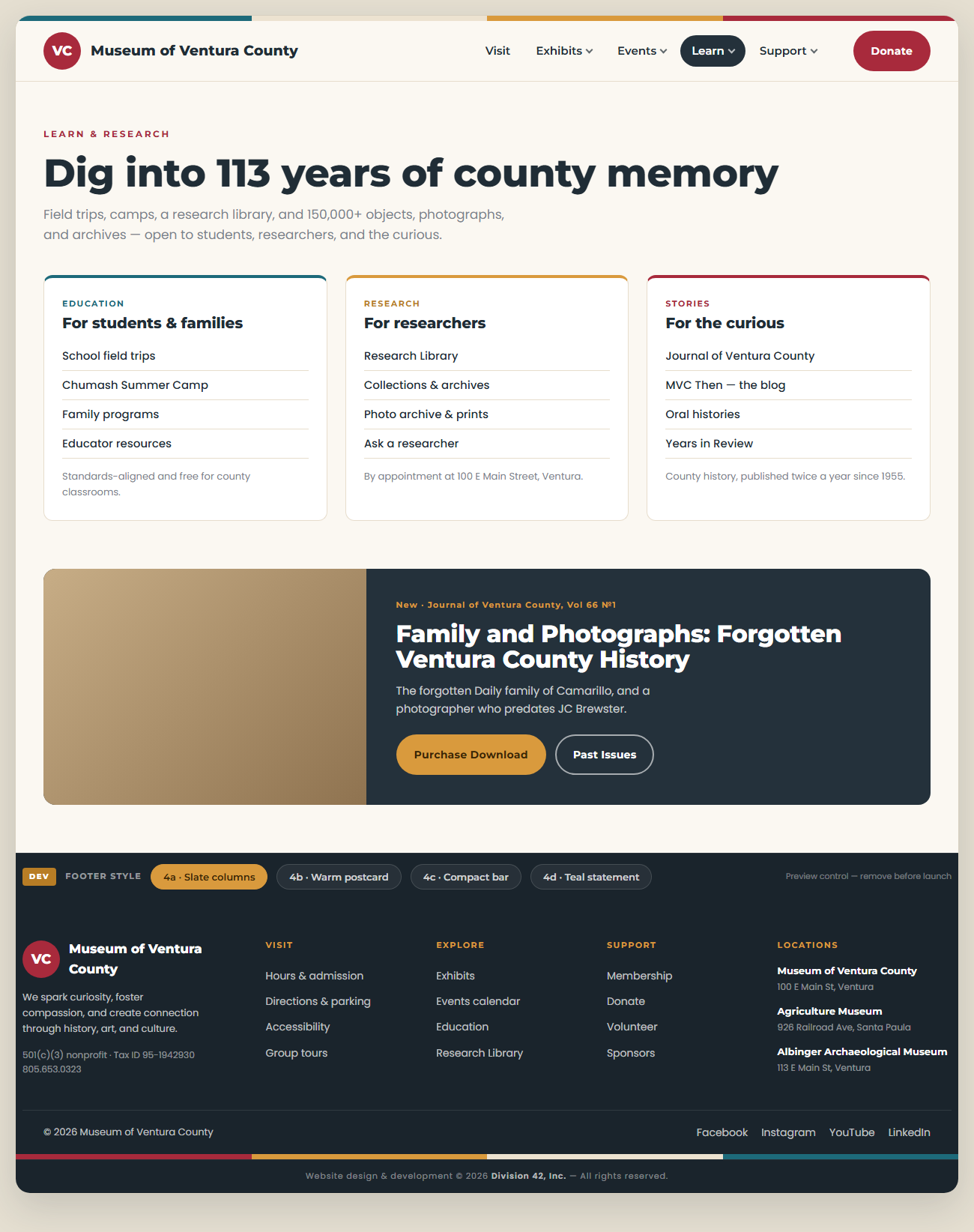
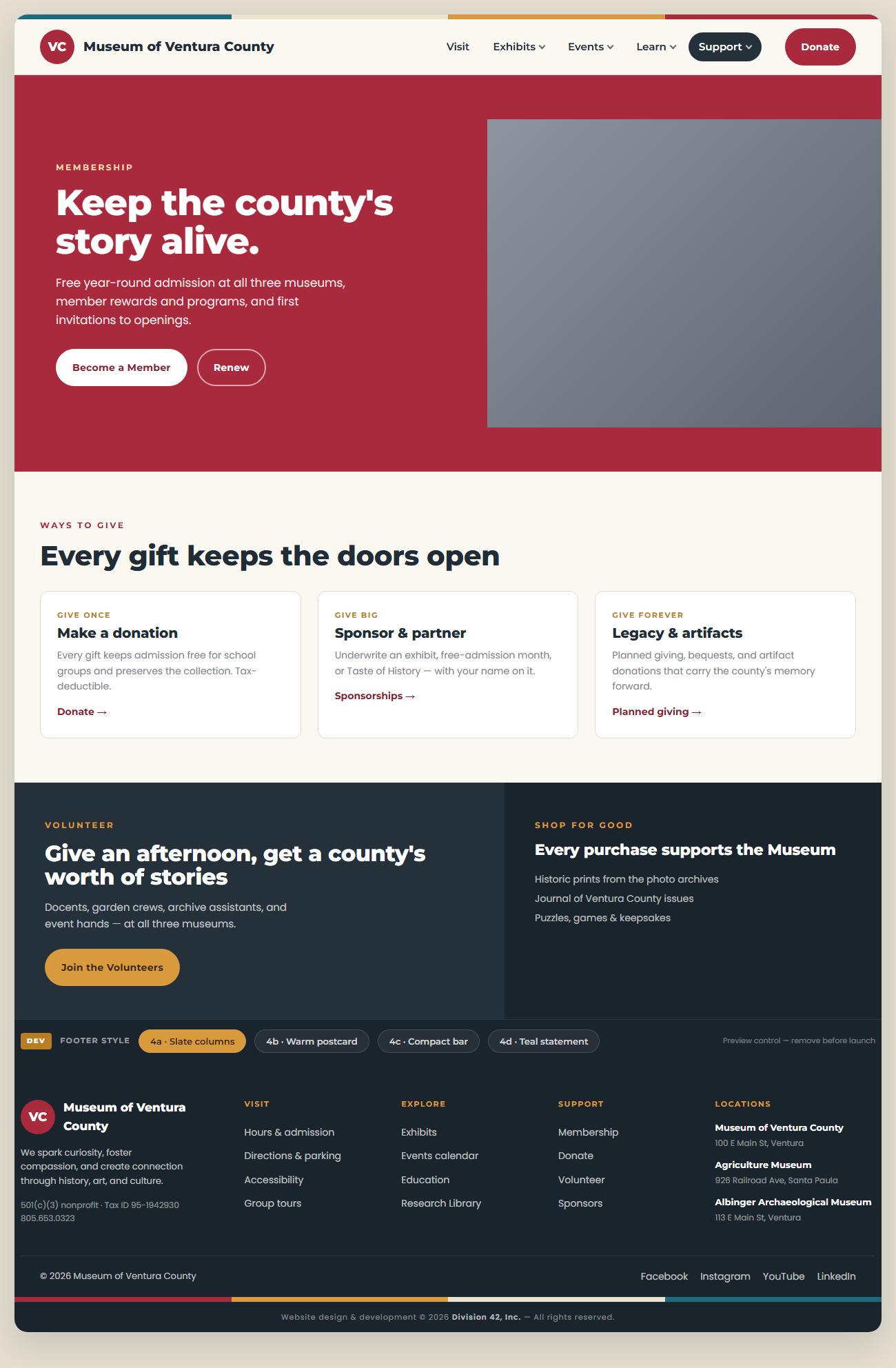
A working visual mockup of the redesigned site in the museum's “Sea to Citrus” identity. Click any page to enlarge, or open the live, clickable version in a new tab.
 Enlarge
 Enlarge
 Enlarge
 Enlarge
 Enlarge
 Enlarge
Note: the live mockup has working navigation, hover mega-menus, and a footer-style switcher. It's a design preview — final photography and copy come later.
§ 07 In this package